Modern Snapdragon chips have dedicated AI accelerators that sit idle while you pay $20/month to run AI on someone else’s server. Three free tools let you run Local AI entirely on your Android phone right now with zero internet, zero accounts, and zero data leaving your device. Here is how to set up each one.

Your Phone Already Has an AI Chip You Are Not Using
I am Ameer Hamza, and at Global Tech Press, I stopped paying for ChatGPT Plus six weeks ago. Not because cloud AI is bad. But because my Pixel 10 Pro was already running AI locally and I did not realize it.
Gemini Nano allows for rich generative AI experiences directly on device without a network connection, prioritizing privacy and low cost by utilizing Android’s AICore system service for efficient inference.
The Pixel 10 series delivered local AI capabilities, allowing many features to run entirely on the device without cloud dependency. This local processing approach addresses two critical user concerns: privacy protection and reliability when connectivity is limited.
But Gemini Nano is just the beginning. There are now three completely different ways to run AI locally on your Android phone. Let me walk you through each one.
Method 1: Gemini Nano (Already on Your Phone)
This is the one most people have without knowing it.
Gemini Nano lets you deliver rich generative AI experiences without needing a network connection or sending data to the cloud. Gemini Nano runs in Android’s AICore system service, which leverages device hardware to enable low inference latency and keeps the model up to date.
Which Phones Have It
As of today, there are now 15 Android phones that support Gemini Nano, and an additional four that support the newest Gemini Nano with multimodality.
This includes the Pixel 8 series, Pixel 9 series, Pixel 10 series, Samsung Galaxy S24 and newer, and select Xiaomi devices.

How to Enable It on Pixel 8 and 8a
Settings, then System, then Developer Options, then search “AICore Settings.” Toggle ON “Enable On-Device GenAI Features.” Wait for download: the approximately 1GB Gemini Nano model downloads in the background.
On Pixel 9 and newer, Gemini Nano is enabled by default. No developer settings needed.
What It Powers
Pixel Screenshots: AI powered search through your screenshots using natural language. Call Notes: Automatic transcription and summarization of phone calls. Scam Detection: Real time fraud detection during calls, all processed locally. Pixel Recorder Summaries: 3 bullet summaries of recordings over 30 minutes.
All of this happens without any internet connection.

Method 2: Google AI Edge Gallery (Google’s Own Free App)
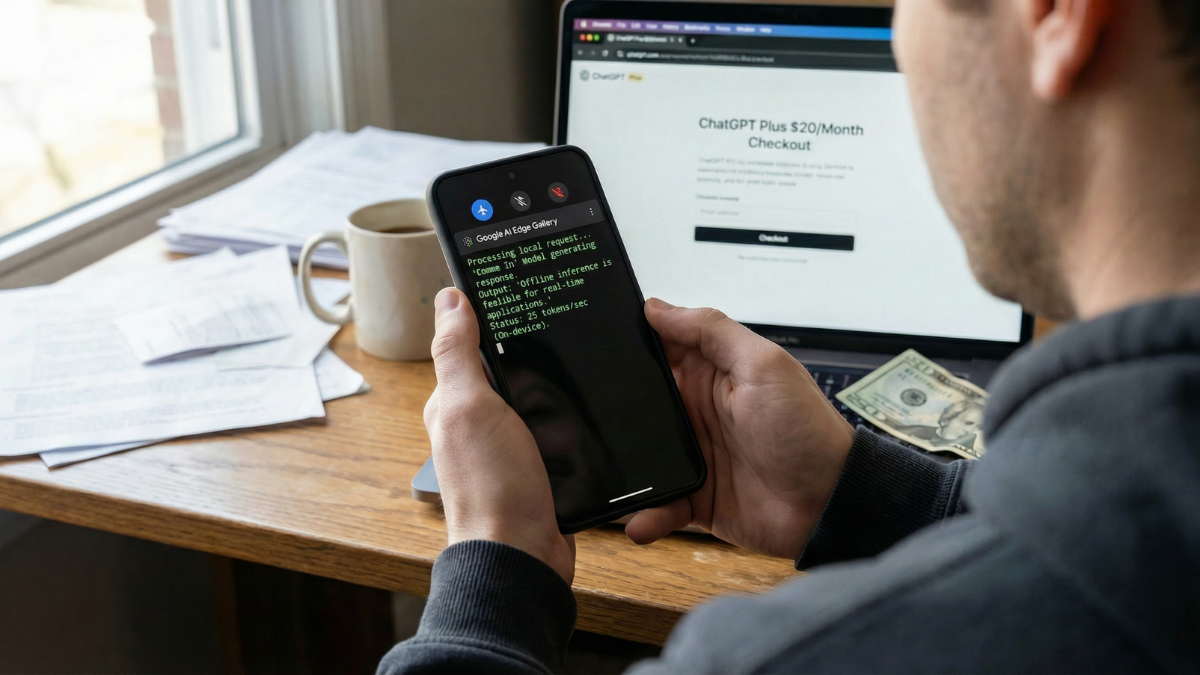
This is the one that changes everything for everyday users.
The Google AI Edge Gallery is an experimental app that puts the power of cutting edge Generative AI models directly into your hands, running entirely on your Android and iOS devices. Google quietly launched AI Edge Gallery, an experimental Android app that runs AI models offline without internet, bringing Hugging Face models directly to smartphones with enhanced privacy.
How to Set It Up
The app is available on Google Play. Updated on February 25, 2026.
- Download it from the Play Store.
- Open it. Browse the list of models.
- Download Gemma 3n (recommended for most phones).
- Start chatting, summarizing, or analyzing images.
Everything runs offline after the initial model download.

What It Can Do
Prompt Lab: Summarize, rewrite, generate code, or use freeform prompts. AI Chat: Engage in multi turn conversations. Tiny Garden: An experimental fully offline mini game using natural language. Mobile Actions: Offline device controls using model fine tuning. Gemma 3n offers high speed generation (over 2,500 tokens per second) and near instant response times when used on modern smartphones.
Method 3: Off Grid (The Privacy Focused Powerhouse)
This is the one for people who want total control.
Off Grid is a free, open source app that runs large language models entirely on your Android phone. No internet connection after the initial model download. No account. No data leaving your device.

What Makes It Different
The app has no analytics, no telemetry, no tracking, no accounts. The tech: llama.cpp for text (15 to 30 tokens per second, any GGUF model), Stable Diffusion for images (5 to 10 seconds on Snapdragon NPU), Whisper for voice.
Off Grid does not just chat. It generates images, transcribes voice, analyzes documents, and answers questions about photos. All on your phone.
How to Set It Up
Download Off Grid from the Google Play Store. Open it. The app filters models by your phone’s RAM so you never download something your device cannot run.
Minimum hardware: 6GB RAM, any ARM64 processor from the last 4 to 5 years. You can start with models as small as 80MB. Recommended hardware: 8GB+ RAM, Snapdragon 8 Gen 2 or newer. This opens up 3B to 7B parameter models that produce genuinely useful output.
The Privacy Argument That Matters
For sensitive use cases like medical questions, legal document analysis, journaling, or work notes containing proprietary information, on device AI removes the tradeoff between capability and privacy entirely.
What You Give Up vs Cloud AI
Let me be honest. Local AI is not a replacement for ChatGPT or Claude for everything.
Cloud LLMs like ChatGPT and Claude run models with hundreds of billions of parameters on data center GPUs. Your phone runs smaller models (1B to 7B parameters). The output is less sophisticated for complex reasoning, but for everyday tasks like quick questions, summarization, drafting, and document analysis, it’s surprisingly capable. The first time you run a local AI session, you may see 50% battery gone in under 90 minutes.
That is real. Local AI inference is power hungry. Close other apps before extended sessions. And do not expect GPT-4 level reasoning from a phone sized model.
But for the tasks most people use AI for daily, quick answers, text rewriting, summarization, voice transcription, and image analysis, these three apps handle it with zero internet and zero cost.
The Comparison Table
| Feature | Gemini Nano | Google AI Edge Gallery | Off Grid |
|---|---|---|---|
| Cost | Free (built in) | Free | Free (open source) |
| Internet needed | No (after setup) | No (after model download) | No (after model download) |
| Available on Play Store | Built into system | Yes | Yes |
| Chat | Via apps (Recorder, Messages) | Yes | Yes |
| Image generation | No | No | Yes (Stable Diffusion) |
| Voice transcription | Yes (Call Notes) | Yes (Audio Scribe) | Yes (Whisper) |
| Image analysis | Yes (TalkBack, Screenshots) | Yes (Ask Image) | Yes (Vision AI) |
| Document analysis | No | No | Yes (PDFs, CSVs, code) |
| Custom models | No | Yes (Hugging Face) | Yes (any GGUF) |
| Min RAM | 8GB | 4GB+ | 6GB |
| Data collection | Google telemetry | Minimal (open source) | Zero |

My Honest Take
Six weeks ago, I was paying $20/month for ChatGPT Plus. Today, I use it maybe twice a week for complex research tasks.
Everything else, quick questions while commuting, summarizing meeting recordings, transcribing voice notes, rewriting emails, analyzing screenshots, happens locally on my Pixel 10 Pro without touching any server.
Gemini Nano handles the built in features silently. Google AI Edge Gallery handles chat and summarization. Off Grid handles everything else, including image generation, which genuinely surprised me with 5 to 10 second generation times on the NPU.
Your phone has a dedicated AI chip. It was designed for exactly this. And until today, you probably had no idea three free apps could put it to work.
Start with Google AI Edge Gallery. It is the easiest to set up. Download Gemma 3n. Ask it a question. Watch it answer in under a second. On your phone. With no internet.
Then decide if you still need that $20/month subscription.